How Receipts Are Categorized for Small Business: A Complete Category Guide
Learn how to categorize small business receipts, standardize expense categories, organize financial records, and simplify reconciliation with a consistent receipt management system.
A receipt without a category is only part of a useful financial record, and inconsistent categories can make monthly reporting and tax preparation more difficult. A standardized receipt management system with clear, repeatable categories can make business expenses easier to organize, review, and reconcile throughout the year.
For a small business, receipts are more than purchase records. They can support accounting entries, expense reports, reimbursements, asset records, and, where applicable, tax reporting.
The challenge is that a receipt does not automatically tell a business which accounting category should be used. A restaurant receipt could represent a business meal, employee event, travel expense, or a personal purchase. An Amazon invoice could relate to office supplies, equipment, inventory, or something else entirely.
This is why how to categorize receipts for small business should be approached as a repeatable organizational process rather than simply assigning every receipt to the closest-looking label.
The IRS states that businesses should maintain records that clearly and accurately reflect income and expenses. Electronic recordkeeping systems can also be used when they provide a complete and accurate record of the data and make it accessible as required.
Why Does Receipt Categorization Matter for Small Business Receipt Management?
Consistent categorization makes it easier to understand where business money is being spent and to connect receipts with accounting records.
What Happens When Receipts Are Miscategorized or Left Uncategorized?
An incorrectly categorized receipt can create several problems:
- Expense reports may show misleading spending patterns.
- Accounting records may need to be corrected later.
- Similar expenses may be split across several categories.
- Month-end reconciliation can take longer.
- Tax preparation may require additional review.
- Supporting documentation can become harder to interpret.
Categorization itself does not determine whether an expense qualifies for a tax deduction. The IRS generally requires business expenses to meet applicable rules, and certain expenses have additional substantiation requirements. For example, travel and transportation expenses require records supporting specific elements of the expense.
A receipt tracker should therefore be viewed as an organizational tool, not as a system that determines tax treatment automatically.
How Consistent Categories Make Tax Preparation Easier
A consistent receipt management system can reduce the amount of sorting required before financial statements or tax records are reviewed.
Receipts can be grouped by the type of expense, linked to the appropriate accounting records, and reviewed before information is provided to a bookkeeper or tax professional.
The IRS recommends recording business transactions regularly and explains that a small-business recordkeeping system can include journals, ledgers, supporting documents, and other records appropriate to the business.
Receipt categorization is primarily an organizational process. It helps make records easier to understand, reconcile, and review, but the category assigned to a receipt does not by itself establish tax deductibility.
What Are the Standard Receipt Categories Used in Small Business?
There is no single ten-category system that applies to every business. The following framework can be used as a practical starting point and then adapted to the business's accounting system.
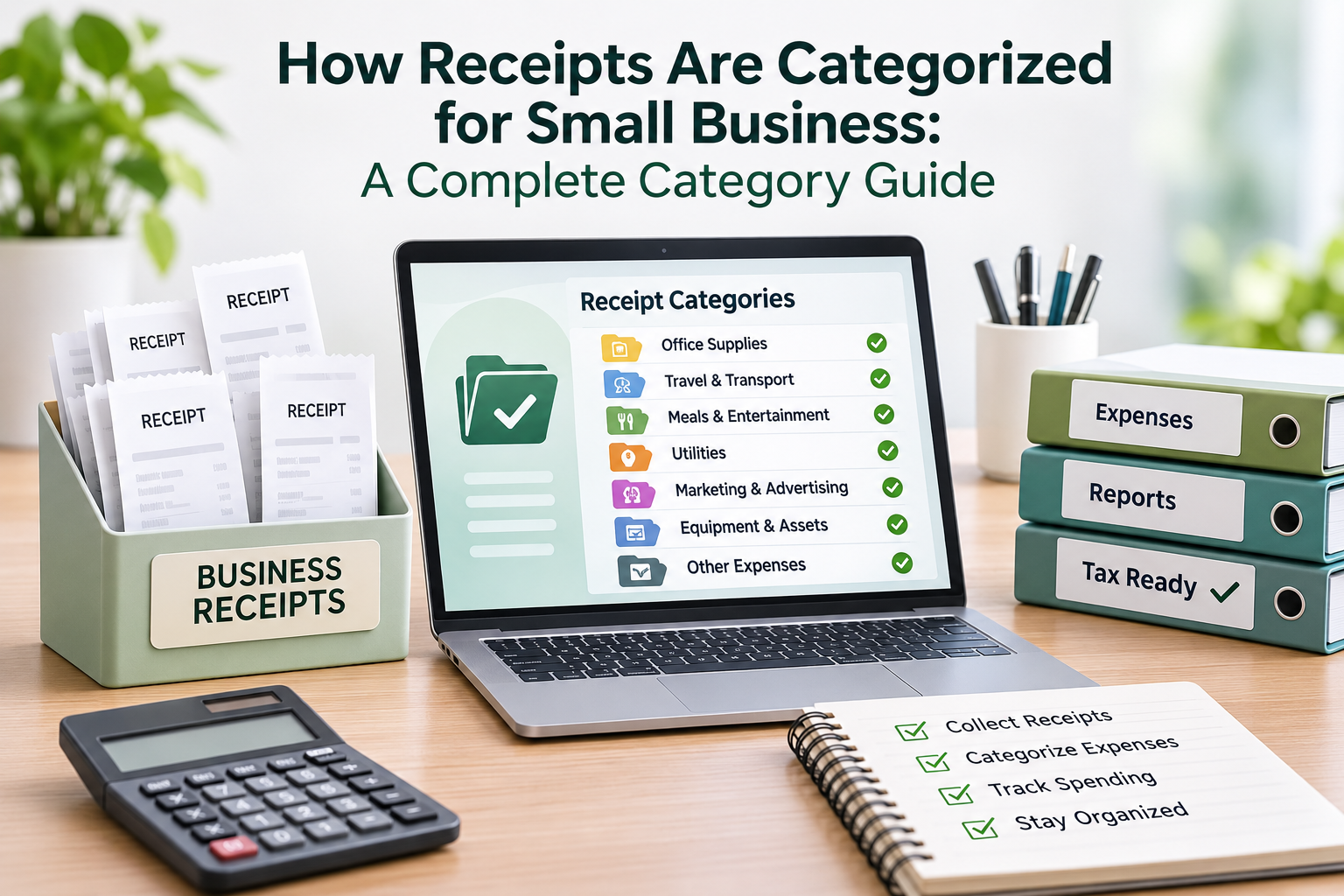
| Category | What It Covers | Common Examples | Tax Consideration |
| Office Supplies | Routine operating supplies | Paper, toner, stationery, postage | Depends on applicable tax rules |
| Travel and Transportation | Business-related transportation | Airfare, parking, tolls, business rideshare | Business purpose and applicable rules matter |
| Meals | Qualifying business meals | Business meals, meals while traveling | Special limitations may apply |
| Technology and Software | Digital tools and technology | SaaS, software, eligible devices | Treatment depends on the item and applicable rules |
| Marketing and Advertising | Promotion and marketing | Advertising platforms, design, printing | Generally evaluated under applicable business-expense rules |
| Professional Services | External expertise | Accounting, legal, consulting | Depends on business purpose and applicable rules |
| Utilities and Rent | Business premises and services | Rent, electricity, internet | Depends on business use and circumstances |
| Equipment and Assets | Longer-term business property | Furniture, machinery, computers | May require capitalization and depreciation treatment |
| Inventory / Cost of Goods Sold | Items held for sale or production | Products, raw materials, packaging | Special inventory rules may apply |
| Other / Miscellaneous | Items not fitting established categories | Certain fees or memberships | Treatment varies |
These should not be treated as official IRS categories. They are an organizational structure that can be mapped to the chart of accounts used by the business.
The IRS recognizes different types of supporting records and specifically notes that a combination of documents may be required to substantiate all elements of an expense.
Office Supplies: What Belongs Here and What Does Not
Office Supplies can include routine items used in business operations, such as:
- Printer paper
- Ink and toner
- Pens and stationery
- Envelopes
- Business postage
- Other routine office consumables
Personal purchases should not be categorized as business expenses simply because they were purchased while working from home.
The business purpose and actual use of the item should be considered before assigning the category.
Travel and Transportation: Business vs. Commuting
Business travel and transportation should be distinguished from personal commuting.
The IRS generally treats transportation between a taxpayer's home and regular place of work as nondeductible commuting, although specific exceptions can apply. Business transportation such as travel between workplaces, client visits, and certain temporary work locations can receive different treatment.
For this reason, a receipt tracker should capture enough information to explain the purpose of the transportation expense.
Useful records can include:
- Date
- Destination
- Amount
- Type of transportation
- Business purpose
Meals: Documentation Matters
Meals require particular attention because federal tax rules can impose limitations on deductibility.
For qualifying business meals, the IRS requires records supporting relevant details such as the amount, date, and business purpose. Depending on the circumstances, information about the business relationship or people involved may also be relevant.
A practical receipt management process can therefore include a notes field for the business purpose rather than relying entirely on the receipt itself.
The federal tax treatment of meals can also include percentage limitations and exceptions. The current IRS guidance generally limits many qualifying business meal deductions to 50%, but the specific rules should be checked for the applicable tax year and circumstances.
Technology and Software: Keep Subscriptions Organized
Software subscriptions can be categorized together when that structure matches the business's accounting system.
Examples include:
- Cloud software
- Design platforms
- Project management tools
- Accounting software
- Marketing platforms
- Website services
Hardware should not automatically be placed in the same category simply because it is technology-related. A computer, server, or other longer-lived asset may require different accounting treatment.
Marketing and Advertising: Track Platform Charges Separately
Marketing expenses can include advertising platform charges, design services, content production, printing, and other promotional costs.
A receipt management system can use a single Marketing and Advertising category while retaining the vendor information needed for further reporting.
For example:
Category: Marketing and Advertising
Vendor: Advertising platform
Amount: $500
Date: September 24
Purpose: Paid advertising campaign
This creates a useful record without requiring a separate category for every advertising platform.
Professional Services: Invoices Can Be Supporting Records
Accountants, attorneys, consultants, designers, and other professionals commonly provide invoices rather than retail-style receipts.
The invoice and proof of payment can be retained together.
This is an important reminder that receipt management should not be limited to documents literally labelled "receipt." A small business may need to organize invoices, statements, payment confirmations, and other supporting documents as part of the same recordkeeping system.
Equipment and Assets: Not Every Purchase Is a Regular Expense
Longer-term business property may require different accounting treatment from ordinary operating expenses.
The IRS states that businesses should maintain records for assets showing information such as acquisition date, purchase price, improvements, depreciation, business use, and disposition.
A receipt management system can therefore store the purchase document alongside the asset record rather than treating the receipt as an ordinary monthly expense only.
Miscellaneous: Use It Carefully
An "Other" or "Miscellaneous" category can be useful for occasional transactions that genuinely do not fit elsewhere.
However, if a particular type of purchase repeatedly appears in Miscellaneous, a dedicated category may make the system easier to understand.
The objective is not to create dozens of categories. It is to create enough structure that similar expenses are consistently treated alike.
A practical category framework can cover many common small-business purchases, but categories should be aligned with the business's accounting system rather than presented as a universal IRS classification.
How Should Receipt Category Names Be Standardized Across the Business?
A consistent naming convention prevents the same expense from appearing under multiple labels.
Naming Rules That Prevent Confusion Over Time
A business can establish a short approved category list.
For example:
- Office Supplies
- Travel
- Meals
- Technology
- Marketing
- Professional Services
- Utilities
- Equipment
- Inventory
- Other
"Travel" and "Transport" should not be used interchangeably unless the accounting structure intentionally distinguishes them.
Likewise, "Office Supplies," "Office Stuff," and "Miscellaneous Office" should not all be used for the same type of purchase.
The same naming structure can then be reflected in the receipt management app, accounting software, and internal reporting.
What Should Be Done With a Receipt That Does Not Fit Any Category?
The receipt can initially be placed in an Other category and reviewed later.
If the same type of purchase repeatedly appears there, the category structure can be reconsidered.
A monthly or quarterly review can ask:
Is this genuinely an unusual expense, or is the category system missing something?
This keeps the system practical without creating a new category every time an unusual purchase occurs.
Category standardization means maintaining one approved list, using it consistently, and periodically reviewing the Other category for recurring expenses that deserve their own classification.
What Is the Difference Between a Receipt Category and a Tax Deduction Category?
The two concepts should not be treated as identical.
A receipt category is primarily an organizational label. It helps a business find and group similar transactions.
A tax classification determines how an expense is treated under the applicable tax rules.
For example, a business might create an internal category called "Meals." That does not mean every transaction placed in that category is automatically deductible. The nature of the meal, business purpose, circumstances, and applicable tax limitations still need to be considered.
Similarly, "Equipment" can be an internal organizational category, while the applicable tax treatment may involve capitalization, depreciation, or other rules.
The IRS has additional substantiation requirements for certain expenses, including travel, transportation, and meals.
For U.S. businesses, tax classification should therefore be mapped to the applicable accounting and tax rules rather than assumed from the receipt category alone.
Receipt categories organize spending; tax classifications determine applicable tax treatment. A good receipt management system keeps those concepts connected without treating them as interchangeable.
How Does a Receipt Management App Categorize Receipts Automatically?
A receipt management app can reduce manual data entry by extracting information from receipts and suggesting categories.
Depending on the software, the process may include:
- A receipt is uploaded or scanned.
- OCR extracts available information.
- The vendor, date, and amount are identified.
- A category is suggested based on available information.
- The user reviews the category.
- The receipt is saved with the final classification.
Vendor-based rules can also be used.
For example:
Restaurant vendor → Suggested category: Meals
However, automatic categorization should not be treated as infallible. The same vendor can sell different types of products, and a single receipt can contain purchases belonging to different categories.
Human review remains important, particularly before financial reports or tax information are finalized.
IRS recordkeeping guidance focuses on maintaining complete and accurate records; an automated category suggestion should therefore not be treated as proof of tax treatment.
A receipt management app can automate the first categorization pass through OCR and rules, but categories should be reviewed when the classification affects accounting or tax reporting.
What Categorization Mistakes Cause Problems for Small Businesses?
Several mistakes appear repeatedly in poorly organized receipt systems.
Putting Everything Into Miscellaneous
A large Miscellaneous category makes spending difficult to analyze and can increase the amount of reclassification required later.
Using Different Category Names in Different Systems
If a receipt management app uses "Travel" while the accounting system uses "Transportation," reconciliation can become unnecessarily complicated.
Categorizing Based Only on the Vendor
A restaurant purchase is not automatically a deductible business expense. An electronics retailer can sell office supplies, inventory, equipment, or personal items.
The purchase itself and its business purpose should be considered.
Failing to Record Relevant Business Details
For expenses subject to additional substantiation rules, a receipt alone may not capture every required detail. The IRS specifically identifies elements such as amount, time, place, and business purpose for certain travel and transportation expenses.
Mixing Personal and Business Purchases
Personal expenses should not be classified as business expenses simply because they appear on a business receipt or were paid using a business account.
A receipt organizer cannot correct an underlying classification problem if the original transaction has not been properly identified.
The most useful categorization system is not the one with the most labels. It is the one that consistently identifies what was purchased, why it was purchased, and how the transaction should connect to the business's accounting records.
Frequently Asked Questions
How many expense categories should a small business receipt system use?
There is no IRS-required number of categories.
As a practical organizational starting point, a relatively short list such as 8–12 categories may work for some small businesses, but the appropriate number depends on the business's size, activities, accounting system, and reporting needs.
Too few categories can make reporting vague, while too many can make the system difficult to maintain.
What category do Amazon purchases go under for a small business?
It depends on what was purchased and how it is used.
For example:
- Printer paper may fit under Office Supplies.
- A software subscription may fit under Technology.
- A computer may need to be tracked as an asset.
- Products purchased for resale may belong with Inventory or Cost of Goods Sold.
The retailer does not determine the expense category. The nature and business use of the purchase do.
Can one receipt contain expenses from multiple categories?
Yes.
A single receipt can contain items that belong to different categories. For example, an office-supply store receipt might contain printer paper, a computer accessory, and furniture.
Where appropriate, the transaction can be split into separate accounting entries while the original receipt remains attached as supporting documentation.
This makes a receipt tracker more accurate without requiring separate receipts for every category.
What is the difference between an expense category and an account code?
An expense category is generally a human-readable organizational label such as "Office Supplies" or "Marketing."
An account code is a specific identifier used within an accounting system's chart of accounts.
The two can correspond to each other, but they are not necessarily identical.
A business can therefore use a user-friendly category structure inside its receipt management system while mapping those categories to the appropriate accounts in its accounting software.
How often should receipt categories be reviewed and updated?
A quarterly review can be practical for many small businesses, with an annual review as a minimum starting point.
A review can identify:
- Categories that are rarely used
- Categories that contain too many transactions
- Repeated items inside Other
- Differences between the receipt system and accounting software
- New types of business expenses
More frequent reviews may be appropriate when the business is growing quickly or introducing new products and services.
Does a receipt management app automatically assign the correct category?
Not necessarily.
A receipt management app can suggest a category using OCR, vendor information, previous rules, or other available data. The suggestion should be reviewed when accuracy matters.
For example, the same retailer can sell both business equipment and personal goods. A vendor name alone may not provide enough information to determine the correct classification.
Automatic categorization should therefore be treated as an efficiency feature, not as a substitute for accounting judgment.
Disclaimer: The views and opinions expressed in this blog are those of the blogger and are provided for informational purposes only. They should not be considered legal advice or a substitute for advice from a qualified legal professional.
Related Blogs
View all the related blogs from here
How to Manage Online Shopping Receipts Across Amazon and Multiple...
Manage online shopping receipts from Amazon, Flipkart, and other platforms. Learn how to organize digital invoices, automate email sorting, and store purchase r...
 Uploaded on 25 Oct 2026
Petty Cash Receipt Management: How Cash Expenses Are Tracked Without...
Learn how to manage petty cash receipts, document cash expenses, reconcile transactions, and organize business records with a simple digital receipt management...
Uploaded on 14 Oct 2026
How a Receipt Management App Is Used for Personal Budgeting...
Learn how to use a receipt management app for personal budgeting, including organizing receipts, tracking household spending, and managing digital purchase reco...
Uploaded on 04 Oct 2026
Start Your Paperless Journey
At Amriop, we’re more than an invoice management software, we’re building a smarter, more sustainable way to handle digital receipts. Whether you want to manage eReceipts more efficiently, adopt electronic receipts to reduce waste, or use secure digital receipt storage, Amriop offers a receipt organizer and receipt management system designed for everyone.
Go Paperless Now